Plans & Pricing

Mac mini M4 Cloud Server Plans

No need to buy a Mac — rent bare-metal M4 by the month. Full macOS, dedicated IPv4 and 1 Gbps. From ~$95.1/month (16GB · 256GB). Prices below are USD reference rates, monthly price as baseline prorated for other billing periods.

  • Apple M4 bare-metal dedicated
  • Flexible billing — daily / weekly / monthly / quarterly
  • 5 nodes — Asia-Pacific & US East
  • Remote access — SSH · VNC
$95.1 Monthly from
2 tiers Memory options
4 options Billing cycles
5 Datacenter nodes
Configuration

Choose by workload — switch period to see price

Unified memory architecture lets compilation and simulator run in parallel comfortably; switch billing period tabs to view prices for each tier.

Subscription · monthly · auto-renews if not cancelled before expiry
Daily development

M4 · 16GB / 256GB

$95.1/ month

  • Apple M4 bare-metal dedicated
  • 16GB unified memory
  • 256GB SSD
  • 1 Gbps · dedicated IPv4

Single-project Xcode development · ideal first daily trial. Suited for persistent scripts, light compilation, and remote desktop trials.

Rent this plan
Team recommended Coding & CI

M4 · 24GB / 512GB

$207.3/ month

  • Apple M4 bare-metal dedicated
  • 24GB unified memory
  • 512GB SSD
  • 1 Gbps · dedicated IPv4

Multi-branch CI · IDE and simulator open simultaneously. Ideal for persistent pipelines, multi-user SSH, and AI experiment workloads.

Rent this plan

These are reference prices; actual billing is as shown on the order page. Daily is one-time; weekly/monthly/quarterly are subscription renewals.

16GB or 24GB?

Both tiers have identical network and delivery specs — the main difference is memory and storage. We recommend renting 16GB by the day first to test compile times and VNC latency; upgrade to 24GB or add storage if simulators or CI regularly max out memory. For multi-project isolation, run multiple instances so certificates and environments stay separate.

Go to order page to configure
Technical specs

One Cloud Mac — these capabilities included

Regardless of which tier you choose, the delivery form and network specs are the same; the main difference is memory and storage.

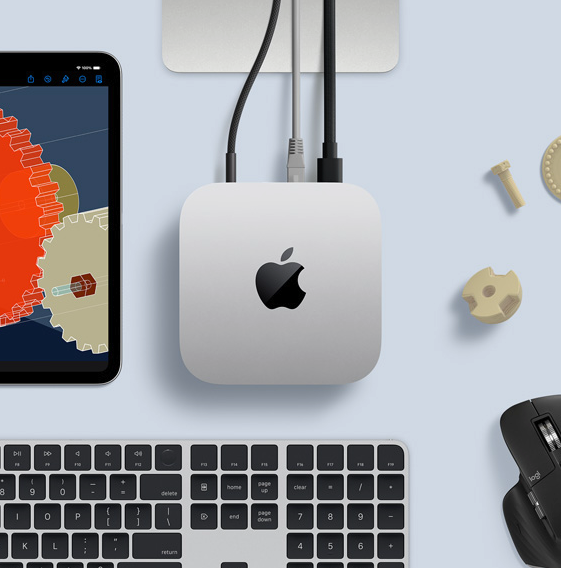
Silver Mac mini M4 on a work surface — with Magic Keyboard, mouse, and an iPad showing a 3D modeling interface, illustrating the macOS development and engineering workloads a cloud server can handle
Chip
Apple M4
Memory
16GB / 24GB unified memory
Storage
256GB / 512GB SSD+1TB / +2TB add-on available
Network
Dedicated IPv4 · 1 Gbps
Access
SSH · VNC remote
OS
Full macOS
Delivery
Bare-metal dedicated
Datacenter
Singapore · Japan · South Korea · Hong Kong · US East
  • Apple M4 bare-metal
  • Full macOS
  • Dedicated IPv4 · 1 Gbps
All included

Regardless of which tier — these are all included

Standard macOS environment supporting Xcode, Simulator, Docker, and Homebrew; disk and Thunderbolt add-ons are priced separately below.

Full Mac mini dedicated

Bare-metal delivery — not a time-shared virtual machine; compute and isolation are predictable.

1 Gbps dedicated

Each machine has its own dedicated egress bandwidth — package transfers, dependency pulls, and remote desktop don't compete with others.

Dedicated IPv4

Standard plans include a dedicated public IP — whitelists, callbacks, and fixed egress are easier to manage.

SSH · VNC

Get credentials from the dashboard after provisioning; use SSH for command line, VNC for graphical desktop.

Order without signing in

After paying on the order page, sign in with the same browser to merge the order into your account.

Provisioning & technical support

Provisioning progress, power operations, and technical support are all trackable.

Comparison

Rent, or buy a Mac mini?

Buying a Mac mini starts at ~$799; ZekVPS starts at ~$95.1/month, daily trials available — no upfront investment required.

Criteria ZekVPS rental Buy your own Mac mini
Upfront costFrom $95.1/month, daily trial available~$799+ one-time
Compute isolationBare-metal dedicated · dedicated IPv4Local dedicated
Network1 Gbps dedicated · multi-node deploymentDepends on local broadband
ElasticityAdd/remove instances per projectUpgrade requires hardware replacement
Best forTrials, CI, remote teamsLong-term local full-time development
Billing

Four cycles to match your rental pace

Short cycles for trials, long cycles for persistent builds or CI; switch the tabs above to see prices for each tier.

Daily

One-time purchase

Ideal for validating compile speed and network latency; stops automatically at expiry without charging the next period.

Weekly

Short project sprint

Subscription weekly billing — auto-renews at the same tier if not cancelled before expiry.

Monthly

Most common ongoing cycle

Monthly subscription — ideal for long-term development and CI pipelines.

Quarterly

Long cycle, less hassle

Quarterly subscription — per-unit price is typically lower than monthly billing.

Expansion

Ready to use, expand as needed

Disk and Thunderbolt add-ons sync with the billing period tab above; select them on the order page and order together with the main plan.

+1TB disk

Expand for Xcode cache, Docker images, and asset libraries; ideal for projects with larger archive sizes.

+$13.4/ month

+2TB disk

Larger storage tier — ideal for multi-repo dependency caches and video editing assets.

+$26.8/ month

Thunderbolt 5 daisy-chain

High-speed multi-machine interconnect — ideal for multi-node CI coordination and parallel build scenarios.

+$5.1/ month

Provisioning

Configure · Pay · Provision · Connect

Four steps; actual time depends on inventory — track progress in the dashboard. See help docs for details.

  1. Configure

    Choose memory, storage, datacenter, and billing cycle on the order page — no sign-in required.

  2. Pay

    After payment, the order merges into your account; daily is one-time, weekly/monthly/quarterly are subscriptions.

  3. Provision

    Enters the delivery queue — datacenter checks inventory for the selected region and begins provisioning.

  4. Connect

    Once ready, get SSH / VNC credentials from the dashboard and start remote use.

Nodes

Choose the nearest datacenter to your team

Select a region on the order page — IP and routing are configured per the selected node; inventory is as shown on the order page.

Available regions

Singapore · Japan · South Korea · Hong Kong · US East — all nodes offer 1 Gbps dedicated bandwidth and dedicated IPv4.

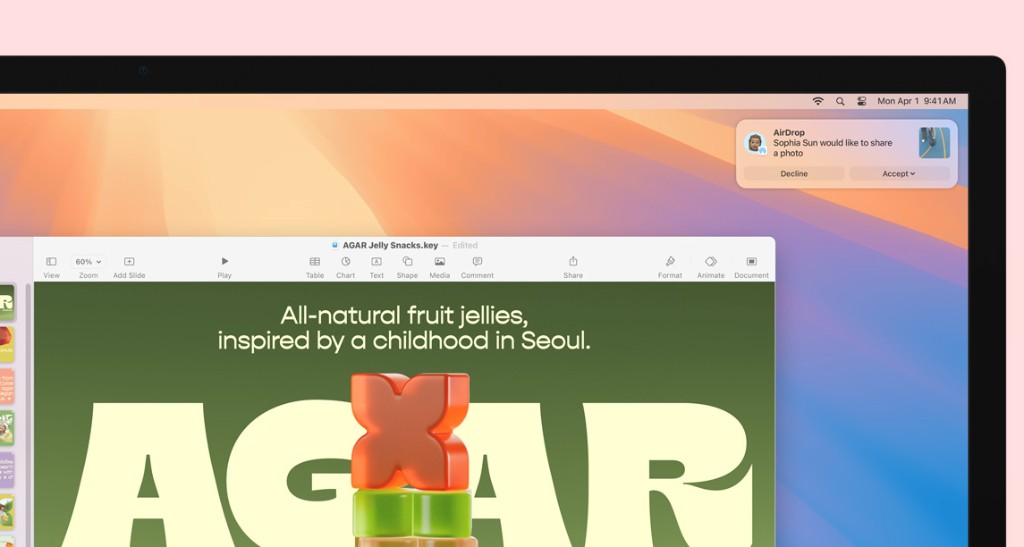
macOS remote desktop on Mac Studio and Studio Display — development and collaboration environment accessed via VNC after renting a multi-node Cloud Mac
Notes

A few things to clarify upfront

Reference price vs. actual charge

This page shows reference prices; promotions, add-ons, and exchange rates are billed as shown on the order page.

How to cancel a subscription

Weekly/monthly/quarterly — cancel in the dashboard before expiry. Daily stops automatically at expiry — no cancellation needed.

How long does provisioning take?

After payment you enter the ticket queue; timing depends on inventory — track progress in the dashboard.

Who to contact with questions

Existing customers use a ticket; pre-sales can email support@zekvps.com.

Can I upgrade mid-term?

Changing memory tier usually requires purchasing a new instance and migrating data; storage can be expanded via add-ons — details subject to ticket reply.

Which toolchains are supported?

Full macOS environment — run Xcode, Simulator, Flutter, Fastlane, Docker, etc. See Help Center for details.

Configure your plan and rent now

From daily trials to quarterly subscriptions — choose datacenter and add-ons in one step on the order page.