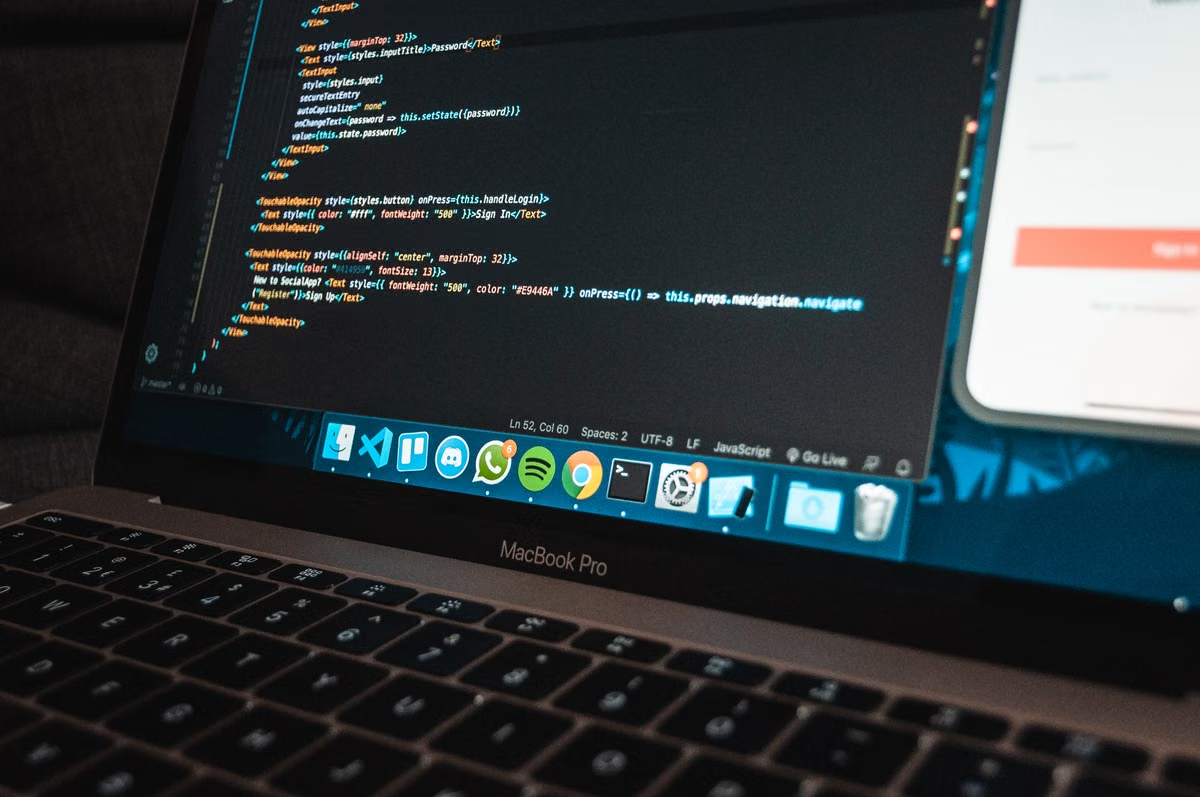
The 2026 MacBook Ultra is not an Apple-confirmed product. This guide separates official M6 information from OLED and touchscreen rumors, then explains whether creative professionals, developers, and procurement teams should wait or deploy with a current MacBook Pro setup.
Apple’s August 26, 2026 newsroom announcement covers the M6 and M5 Ultra chip families, but it does not announce a MacBook Ultra; see the official M6 announcement. That distinction leads to the practical answer: the 2026 MacBook Ultra is a media and community name for a possible high-end OLED touchscreen MacBook, not a confirmed Apple product. Unless OLED, touch input, or a new chassis would materially change your workflow, do not delay production deployment because of the name alone.
Best fit: creative professionals, developers testing touch interfaces, and procurement teams planning a controlled hardware evaluation.
Poor fit: teams that need a confirmed configuration, predictable delivery, mature application support, or immediate sustained compute capacity.
Last updated: August 26, 2026. We checked Apple’s trademark list, Newsroom announcements, Mac product information, and the original media reports listed in this article. OLED, touch input, the Ultra name, and the product tier remain unconfirmed.
Is MacBook Ultra a real Apple product?
Not at this point. Apple’s published trademark list does not establish a MacBook Ultra product launch, and the company has not announced a MacBook carrying that name. The Apple trademark list is useful here because it separates registered or recognized marks from names circulating in reports.
The name currently describes a possible product concept:
- A MacBook above the familiar MacBook Pro tier.
- A high-end OLED display.
- Touch input or a new interaction model.
- A redesigned chassis rather than a routine processor refresh.
- A premium product aimed at professional buyers.
That does not mean every part will appear in one shipping device. A report about a touchscreen MacBook is evidence of Apple research or product planning, not proof of a final retail specification. Bloomberg reported that Apple was preparing a high-end MacBook with a touchscreen and a small camera opening in the display, but the report did not turn “MacBook Ultra” into an official product name. Read the original Bloomberg report on the touchscreen MacBook as a reported development direction, not a product page.
This is the first purchasing filter. If a team needs a machine that can be ordered, standardized, repaired, and replaced now, the rumored name has no procurement value yet.
The MacBook Ultra and MacBook Pro would occupy different tiers
The expected difference is not simply “more cores” or “more memory.” The rumored product would matter because it could combine a different display technology, a different input method, and a different product position.
Apple’s confirmed MacBook Pro line remains the baseline for comparison. Apple introduced MacBook Pro models with M5 Pro and M5 Max in March 2026, according to the MacBook Pro announcement. Apple also announced M6 information in August 2026. Neither announcement confirms that a future OLED MacBook will use M6, M5 Pro, M5 Max, or a chip branded “Ultra.”
| Decision area | Current MacBook Pro | Rumored 2026 MacBook Ultra | Procurement meaning |
|---|---|---|---|
| Product status | Officially announced product family | Unannounced concept and reported development direction | Only the current line can be standardized with confidence |
| Display | Existing Apple display technology and published specifications | OLED is widely discussed, but brightness, color accuracy, burn-in controls, and lifespan are unknown | Creative teams must wait for independent testing |
| Input | macOS trackpad, keyboard, and established external display workflows | Touch input is reported but not confirmed | Touch adds value only if software and workflow support it |
| Chip choice | Published models and support documentation | Chip pairing remains uncertain | Do not infer compute performance from the Ultra label |
| Delivery | Existing purchasing and support channels | First-batch supply and repair process are unknown | Pilot before broad deployment |
| Best use | Production work today | Display and interaction research | Treat the rumored model as an evaluation candidate |
This is why “MacBook Ultra versus MacBook Pro” is not yet a normal specification comparison. The MacBook Pro has known hardware, software compatibility, and support behavior. The rumored model has potential workflow advantages but no confirmed specification sheet.
Reports also disagree about the processor direction. MacRumors summarized a report suggesting that a future OLED MacBook could remain tied to M5 Pro and M5 Max rather than use M6; its report summary should be treated as secondary reporting. Separately, 9to5Mac discussed the same possible chip direction in its touchscreen MacBook coverage.
The decision implication is clear: the product name cannot tell us whether the machine will be faster for local AI, code compilation, rendering, or simulation. Only published chip specifications and independent workload tests can do that.
OLED value for creative professionals
OLED could matter more to a color-focused editor or designer than to a general office user. Each pixel can control its own light output, so OLED can potentially deliver deeper black levels and strong contrast. It can also offer fast pixel response, which may improve perceived motion clarity in some interfaces and video workflows.
That potential does not automatically make an OLED MacBook the better production monitor.
Creative teams need answers to several unresolved questions:
- What sustained brightness will the panel maintain?
- How stable will color be across brightness levels?
- Which reference modes will Apple provide?
- How will the system manage static interface elements?
- What burn-in protection will apply to timelines, toolbars, and code editors?
- How will panel aging affect color-critical work?
- Will external display workflows remain more reliable for long sessions?
The rumored OLED MacBook should therefore be evaluated by workflow, not by the OLED label. A filmmaker reviewing dark scenes may gain more from black-level control than a developer who spends the day in a static code editor. A 3D artist may value contrast and response, but still require a calibrated external display for final color decisions.
Brightness and color accuracy are not confirmed. Neither is burn-in resistance or panel lifespan. These details must wait for formal specifications and independent testing. A launch article that declares the display “professional reference quality” before those tests would be guessing.
The Apple design tips also show why display technology is only part of a design workflow. Interface hierarchy, legibility, contrast, and interaction feedback still need to work across different screens. OLED may improve the panel. It does not replace good interface design or a calibrated review process.
Our provisional creative score:
| Creative requirement | Current MacBook Pro | Rumored OLED MacBook | Confidence today |
|---|---|---|---|
| Known display behavior | Strong | Unknown | Current model |
| Potential black-level improvement | Limited by panel type | Potentially strong | Rumored direction |
| Long static timeline use | Established workflow | Burn-in risk needs testing | Current model |
| Mobile color review | Usable with known limits | Potentially better | Unconfirmed |
| External reference monitor support | Established | Expected, but not yet tested | Current model |
The score is not a benchmark. It is a confidence rating for purchase decisions. Current MacBook Pro wins on certainty. The rumored OLED model wins only on possible display upside.
Touchscreen implications for developer workflows
The reported touchscreen MacBook could be useful for teams that build interfaces for tablets, kiosks, creative tools, education products, or cross-platform applications. A developer could test direct manipulation, touch targets, gesture conflicts, and visual scaling on the same mobile computer used for code and presentation.
That benefit depends on macOS support. A touchscreen does not make every desktop application touch-friendly.
Apple’s macOS design guidance is built around desktop input patterns. Apple’s Mac Catalyst input guidance discusses how Mac applications handle input across platforms. These documents indicate the real engineering issue: applications need deliberate interaction design for pointer, keyboard, and touch. A panel alone cannot solve that problem.
A touchscreen MacBook could introduce new testing questions:
- Are controls large enough for direct input?
- Does touch scrolling conflict with trackpad behavior?
- Do hover states still communicate useful information?
- Can the application distinguish touch, pointer, keyboard, and stylus intent?
- Do accessibility settings remain consistent?
- Does the product need a tablet layout or merely touch-compatible controls?
Apple’s gesture documentation is relevant for teams planning those tests. It does not confirm that macOS will receive a new touch-first interface, and it does not confirm developer APIs for a future MacBook.
This is where the phrase “touchscreen MacBook” can mislead procurement teams. Touch may be valuable for demonstrations, interface validation, and certain creative tools. It may add little to backend development, command-line work, long-form writing, or local server administration.
For product teams, we would treat touch as a test requirement. We would not treat it as a universal productivity upgrade.
Who should wait, and who should deploy now?
The answer depends on whether the rumored hardware would change a measurable workflow.
Wait if:
- OLED black levels or response would affect daily color review.
- Touch input is a required part of interface testing.
- A new chassis could replace a separate tablet or demonstration device.
- The team can run a pilot without moving core production work.
- The organization has budget reserved for uncertain launch timing and first-batch support.
Do not wait if:
- The immediate need is more reliable local development capacity.
- The current bottleneck is memory pressure, build time, storage, or remote access.
- Applications are already certified on the current MacBook Pro environment.
- The team needs a repeatable configuration across multiple engineers.
- The work depends on sustained AI inference and the future chip configuration is unknown.
- Physical ports, external displays, or established repair procedures matter more than touch.
A high-end name can hide a poor fit. A machine designed around OLED and touch may be attractive for a creative director but unnecessary for a developer whose work runs inside terminal sessions, containers, test runners, and remote build systems.
Teams can also separate the hardware decision from the compute decision. If local hardware is still being evaluated, a Mac VPS workflow can provide a controlled environment for testing builds, automation, and remote development without forcing every production user to wait for an unannounced laptop. That does not replace a physical Mac when camera testing, touch testing, or direct GPU interaction is essential. It can, however, prevent a rumor from becoming a scheduling dependency.
A decision checklist for professional buyers
Use this checklist before reserving budget for a rumored 2026 MacBook Ultra:
- [ ] Write down the exact workflow that OLED would improve.
- [ ] Separate color-review needs from general display preference.
- [ ] Identify whether touch input is required for testing or merely useful for demos.
- [ ] Confirm whether the application team can support pointer, keyboard, and touch interaction.
- [ ] Measure current memory pressure and sustained compute demand on the existing Mac environment.
- [ ] List every application, plugin, container, and security tool that must be validated.
- [ ] Keep the current production configuration available during any pilot.
- [ ] Define a return or fallback plan before evaluating first-batch hardware.
- [ ] Wait for Apple’s formal product name, chip specification, display details, and support terms.
- [ ] Require independent tests for brightness stability, color accuracy, burn-in behavior, and sustained performance.
This checklist is intentionally conservative. The core risk is not that the rumored product will be bad. The risk is that a team will treat an unconfirmed name as a confirmed roadmap and delay a needed deployment.
Enterprise procurement risks
Enterprise buyers face a different problem from individual enthusiasts. They need lifecycle confidence.
A first-generation device can create uncertainty in several areas:
- Supply: launch allocation may be uneven across regions and configurations.
- Compatibility: plugins, drivers, security tools, and virtualization workflows may need validation.
- Repair: a new OLED panel or chassis can change repair procedures and replacement costs.
- Standardization: teams may need multiple configurations while the product line settles.
- Training: touch input may change application testing and support documentation.
- Support: internal help desks need clear rules for touch behavior, display care, and external monitor use.
A sensible procurement plan has two tracks. Keep a mature MacBook Pro baseline for production users. Add a small evaluation group only after Apple publishes the product and independent testing confirms the display and sustained workload behavior.
The pilot should include design review, video playback, 3D viewport use, code editing, local AI inference, external monitor use, device management, and repair handling. It should also compare real work against the current baseline rather than against marketing claims.
For remote teams, our Mac support guidance can help separate device support questions from environment and access questions. That separation matters when a team is deciding whether it needs new physical hardware or simply a more reliable remote Mac workflow.
Is the 2026 MacBook Ultra worth waiting for?
The rumored 2026 MacBook Ultra is worth waiting for only when the display or input change is a requirement.
It is a reasonable wait for:
- A color-focused creative workflow that could benefit from OLED behavior.
- A product team that must test touch interaction on macOS hardware.
- A mobile presentation workflow where direct screen interaction would replace another device.
- A procurement team able to run a controlled pilot without delaying current work.
It is not a reasonable wait for:
- General “future-proofing.”
- A higher compute tier based only on the Ultra name.
- An assumption that M6 will be included.
- An assumption that touchscreen support will receive a touch-first macOS redesign.
- A production deployment with an urgent deadline.
The current evidence supports a product direction, not a product specification. Bloomberg provides the strongest direct reporting in the supplied sources. MacRumors and 9to5Mac discuss possible chip positioning. Apple confirms M6 information and current MacBook Pro generations, but Apple has not confirmed the MacBook Ultra name, OLED panel, touchscreen, or product tier.
That makes the correct decision conditional: wait for a workflow-changing feature, not for a prestige label.
If the current approach is buying or maintaining a separate physical Mac for every uncertain test, the drawbacks are familiar: hardware sits idle between projects, configuration drift complicates reproduction, and teams must absorb delivery, repair, and replacement delays. If the approach is relying on an ordinary cloud machine, the problems can shift to macOS availability, remote display latency, device access, and an environment that does not match the final Apple hardware.
For temporary testing, remote development, or a staged professional rollout, renting a Mac environment from ZekVPS can be more flexible than committing every project to an unconfirmed laptop. It lets the team validate memory, display dependencies, build behavior, and sustained workloads first. The physical 2026 MacBook Ultra, if Apple eventually announces one, should then be judged against those measured requirements rather than against its name. ZekVPS Mac rental options are best considered for temporary capacity and validation, not as a substitute when a team needs permanent heavy workloads or direct physical interfaces.
Deploy Your Mac Setup Without Waiting
Rent a remote Mac from ZekVPS and start development, testing, or creative work without waiting for an unconfirmed device.
Choose a Mac VPS or Mac rental that matches your workload and access it from your existing computer.
If you are moving MCP or Agents from demo to daily use, a snapshot-ready cloud Mac node beats swapping frameworks again. View ZekVPS cloud Mac mini plans — Separate lab from daily driver for calmer deployments.