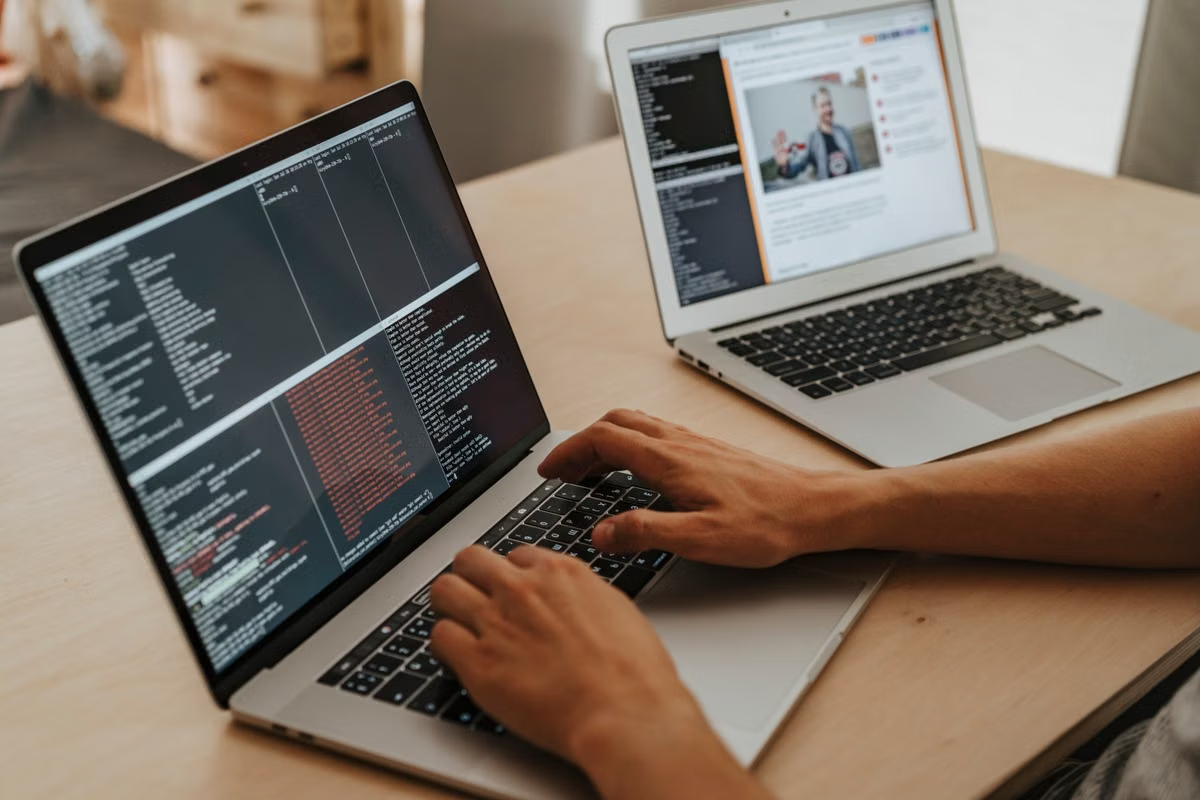
This guide helps developers decide whether to wait for the unannounced M6 MacBook Pro or use an available Apple silicon Mac with remote support. It separates Claude Code’s cloud-based workflow from Ollama’s local inference, then compares memory, storage, concurrency, and remote Mac requirements.
Suitable, with a condition: an M6 MacBook Pro could be a strong Apple silicon development machine, but its Claude Code and Ollama performance cannot be confirmed because the M6 MacBook Pro has not been officially released as of August 21, 2026.
Choose the configuration by workload. Claude Code mainly needs reliable network access and enough local capacity for indexing, commands, builds, and tests. Ollama runs models locally, so unified memory, model size, context length, and concurrency become the main constraints.
This guide is for developers who regularly use Claude Code on large repositories, users who want Ollama for private local inference, and teams running several coding agents in parallel.
Last updated August 21, 2026. We checked the current Anthropic, Ollama, and Apple documentation. M6-related claims remain unconfirmed until Apple publishes hardware details and real devices can be tested.
Start with the workload, not the M6 label
“M6 MacBook Pro AI programming” sounds like one buying question. It is actually three different decisions.
Claude Code is a network-connected coding assistant. The model service is not running entirely on the Mac. The Mac handles the terminal session, repository access, file operations, shell commands, code indexing, compilation, test execution, and local tools. Anthropic’s official setup documentation lists macOS 13.5 or newer as a supported environment, but that is a compatibility floor, not a comfortable specification for a large project. See the official Claude Code system requirements.
Ollama is different. It downloads and runs models locally. The Mac must hold the model data, runtime overhead, context, operating system, and other applications in unified memory. Ollama’s macOS documentation requires macOS 14 Sonoma or newer and documents Apple silicon support. These are software requirements, not proof that an unreleased M6 will outperform current hardware. The relevant baseline is in the Ollama macOS documentation.
A multi-agent workflow combines both patterns. Several agents may modify separate worktrees while test processes, containers, simulators, and a local model compete for memory, storage, CPU, and network bandwidth.
We would therefore score a future M6 MacBook Pro in separate categories:
| Workload | Main local bottleneck | What to verify before buying |
|---|---|---|
| Claude Code on one repository | Build, test, indexing, and multitasking capacity | Repository size, test duration, containers, simulator use |
| Ollama local inference | Unified memory and model storage | Model tags, quantization, context length, concurrent sessions |
| Multiple coding agents | Memory pressure, disk I/O, and process isolation | Number of worktrees, test workers, model sessions, recovery needs |
| Hybrid laptop and remote Mac | Network, credentials, synchronization, and job recovery | Latency, secure access, persistent sessions, artifact transfer |
This separation prevents a common mistake: buying a faster chip for a problem caused by insufficient memory, or buying more memory when the real delay comes from a remote service or slow test pipeline.
What does Claude Code need on a large repository?
Claude Code does not turn the Mac into a local language-model server. The client still needs a functional development environment, but the central AI processing is delivered through Anthropic’s service. That changes the hardware decision.
A small project with short builds can remain comfortable on a modest Apple silicon Mac. A large repository is more demanding because the agent may inspect many files, call local tools, run tests, and repeat the edit-test cycle. The local cost is often indirect:
- The editor, terminal, browser, and documentation remain open.
- A package manager or build system may create large temporary trees.
- Containers consume memory independently of the Claude Code process.
- Simulators and local services compete for CPU and memory.
- Parallel test workers increase pressure faster than a single interactive command.
- Several worktrees duplicate indexes, build artifacts, or dependency metadata.
The right question is not “How much memory does Claude Code require?” It is “How much memory does the whole repository workflow require while Claude Code is active?”
The official minimum of macOS 13.5 or newer tells us whether the operating system is supported. It does not describe the capacity needed for a large repository with containers and parallel tests. We would treat the minimum as a compatibility check only, never as a buying recommendation.
For this workload, the chip and memory have different jobs. More CPU and GPU capability can help with compilation, test execution, code indexing, and local developer tools. More unified memory prevents swapping and keeps the editor, agent, containers, and test processes alive together. If the machine regularly reaches memory pressure, a faster chip cannot compensate for that limit.
Before considering the M6, record these measurements from the current project:
- Peak memory pressure during a full build and test run.
- Number of test processes launched in parallel.
- Size of dependency and build directories.
- Whether containers or simulators run during agent sessions.
- Time spent waiting for remote model responses versus local commands.
- Whether two or more worktrees are active at the same time.
We would not use a single build result to predict M6 performance. Apple has published current MacBook Pro specifications, but those specifications do not establish M6 behavior. The current MacBook Pro technical specifications are useful for understanding Apple’s published configuration approach, not for filling in missing M6 data.
Apple’s newsroom has announced MacBook Pro hardware with M5 Pro and M5 Max in March 2026. That confirms the current product generation described by Apple, but it does not confirm an M6 release date, memory configuration, or performance profile. The official M5 Pro and M5 Max announcement should be treated as confirmed current-generation information rather than an M6 specification leak.
How does Ollama change the memory decision?
Ollama shifts the priority from cloud connectivity to local capacity.
A model file is only the starting point. The runtime also needs working memory for the model, the active context, prompt processing, generated output, and other processes. A longer context can increase memory demand. Multiple sessions multiply the problem. A browser, IDE, container, simulator, and build process can leave less room for the model than the advertised model-file size suggests.
Quantization also matters. Different tags for the same model family can have different storage and runtime requirements. The Ollama Qwen3 model library shows the available model family, while the Qwen3 tags page shows the available tags and file sizes. We would check those entries immediately before deployment instead of relying on a generic “runs local AI” claim.
The important relationship is:
Available unified memory = total memory minus macOS, development tools, model runtime, active context, and concurrent processes.
If a selected model consumes nearly all available capacity, the workflow may become unstable even if the model technically launches. It may also force the developer to close the editor or stop the build process, which defeats the purpose of local assistance.
Ollama’s MLX support adds another consideration for Apple silicon users. The Ollama MLX support announcement explains how MLX-backed workloads fit into the local Apple ecosystem. The MLX unified memory documentation explains why CPU and GPU workloads can access a shared memory pool. That shared pool is helpful, but it is not an unlimited pool. A model and a build process still compete for the same physical resource.
| Ollama requirement | Lower-risk selection rule | Failure mode when ignored |
|---|---|---|
| Model file capacity | Check the exact tag before installation | The model does not fit or leaves no headroom |
| Context length | Start with the context required by the workflow | Long prompts trigger memory pressure |
| Concurrent sessions | Reserve capacity for each active session | Several agents compete for one model runtime |
| Developer tools | Count the IDE, browser, containers, and tests | The model works only after closing normal tools |
| Disk space | Keep room for model files, caches, builds, and logs | Downloads or builds fail unexpectedly |
We cannot responsibly list “all Ollama models an M6 MacBook Pro can run.” The M6 is not available for verified testing, and model viability depends on the exact memory configuration, tag, context, and concurrency. A better approach is to select a model tag, measure peak usage, and keep a fallback model or remote node for heavier work.
Should you upgrade the chip or the memory first?
Use these conditions before choosing an M6 configuration:
- If Ollama causes memory pressure while the editor and build remain open, choose more unified memory before a higher-tier chip.
- If memory remains comfortable but compilation and tests are the slowest steps, prioritize a faster chip.
- If Claude Code responses are slow while local commands finish quickly, investigate network access and service latency before upgrading hardware.
- If several agents run separate worktrees with local models, choose memory and storage for the combined workload, or move part of the workload to a remote Mac.
- If the laptop must remain portable and interactive, keep long builds and repeated test suites on a persistent remote node.
- If the workflow requires physical devices or local hardware interfaces, do not assume remote Mac compute is a complete replacement.
Our practical priority order is usually memory headroom, storage capacity, sustained build performance, and then peak chip tier. That order changes when Ollama is not part of the workflow. A Claude Code user who never runs a local model may gain more from faster compilation and reliable remote access than from paying for memory intended for inactive model files.
The key distinction is capacity versus throughput. Memory determines whether the workload fits. The chip determines how quickly many local operations progress once the workload fits. An upgrade that solves only the second problem will not fix swapping, process termination, or failed model loads.
When does a remote Mac become the better design?
A remote Mac is useful when the laptop is the control surface and another node is the execution surface. The laptop handles conversation, review, lightweight edits, and interactive debugging. The remote Mac handles long builds, full test suites, simulator jobs, scheduled agents, or local-model experiments that would otherwise interrupt the laptop.
We would not add a remote node simply because an M6 announcement is unconfirmed. We would add it when measurements show a repeatable bottleneck:
- The laptop becomes unresponsive during builds or tests.
- Several agents cannot run without closing normal applications.
- A local model and a compiler compete for memory.
- Long jobs need to continue after the laptop lid is closed.
- The team needs a clean, repeatable build environment.
- Developers need isolated worktrees without duplicating every heavy process locally.
The design has four acceptance checks.
Network latency: Interactive shell work should feel responsive. Large artifacts and dependency caches should not be transferred repeatedly.
Credential safety: API keys, signing credentials, SSH keys, and repository tokens should be stored and scoped deliberately. Do not copy secrets into shared agent prompts or unprotected shell history.
Code synchronization: Use a controlled Git workflow or an approved secure transfer method. Do not rely on ad hoc folders that create conflicting edits between laptop and node.
Task recovery: A disconnected terminal must not destroy a long build or agent run. Persistent sessions, logs, exit status, and artifact retention are part of the design.
ZekVPS’s remote Mac options can be evaluated as an execution layer when a local Mac is better suited to interactive work than sustained background jobs. Our Mac support guide is also relevant when the workflow depends on remote access, setup, or troubleshooting.
A short validation run before purchase
Start with one representative repository rather than a synthetic benchmark.
First, clone the project onto the candidate machine and install the exact dependencies. Record disk usage before and after installation.
Next, run the normal build without Claude Code or Ollama. This separates compiler and test behavior from agent overhead.
Then run Claude Code through the same edit, command, and verification loop used in daily work. Record whether delays come from network responses, indexing, builds, or tests.
After that, install one Ollama model tag that matches the intended use. Measure memory pressure while the IDE, browser, build tools, and model remain open.
Finally, run two agents or two worktrees if that reflects the team’s real workflow. If the laptop fails at this stage, move the repeatable heavy task to a remote Mac and keep local interaction on the laptop.
We would keep the test scripts, repository commit, model tag, operating-system version, and logs together. That makes the result reproducible after M6 hardware or tool versions change.
The right setup for each development pattern
For Claude Code with occasional builds, an available Apple silicon Mac may already be sufficient. Waiting for M6 adds uncertainty without solving a measured problem. The decision should be based on memory pressure, build throughput, and the need for a newer supported operating system.
For local Ollama use, memory is the first filter. Select the model and tag first. Then select a Mac that can keep the model, context, editor, and normal development services active. Do not select a chip tier based on an unverified M6 performance prediction.
For multi-agent work, split the workflow when local concurrency becomes disruptive. A laptop plus remote Mac can be more predictable than one high-end portable machine running every agent, test, container, and model at once. The trade-off is operational: secure credentials, synchronization, remote access, and recovery must be managed.
For a team, define ownership of the node. Decide who can start jobs, where artifacts are stored, how logs are retained, and what happens when a build fails overnight. Remote compute is not merely a faster computer. It is a small build service that needs clear operating rules.
FAQ
How much memory should a MacBook Pro have for Claude Code work?
Claude Code does not require a large local model because its AI processing uses Anthropic’s network service. Memory demand comes from the repository, editor, browser, containers, simulators, test workers, and other agents. A sensible choice starts with the memory needed by the full development stack, not Claude Code alone. Larger repositories and parallel tests justify moving up a memory tier.
Which Ollama models could an M6 MacBook Pro run?
No M6-specific Ollama result can be confirmed before the hardware is released. In general, an Apple silicon Mac can run models offered for macOS when the model file fits in available unified memory alongside the operating system and development tools. Check the Qwen3 model list and tags before choosing a model, then leave capacity for context and concurrent processes.
Should AI programmers upgrade the chip or the memory first?
Upgrade memory first when local Ollama models, long contexts, containers, simulators, or multiple agents already cause pressure. Choose a faster chip first when memory is sufficient but builds, tests, and code indexing remain the limiting steps. For Claude Code, additional memory usually improves multitasking headroom; it does not make the remote model itself generate responses faster.
Do multi-agent coding teams need remote Mac compute?
Not every team needs it. Remote Mac compute becomes useful when several agents run builds, tests, simulators, or local models at the same time and the laptop becomes difficult to use. A remote node also helps with long, repeatable jobs. It is less suitable when the workflow depends on physical devices, low-latency interaction, or uninterrupted access to local hardware.
The current approach—running Claude Code, Ollama, builds, containers, and several agents on one laptop—has three predictable weaknesses: shared memory pressure, interrupted long-running jobs, and weaker isolation between projects. Waiting for an unannounced M6 may not fix any of them. A laptop paired with a remote Mac gives us a cleaner split: interactive work stays local, while heavy or concurrent tasks move to a persistent environment. If you need temporary capacity or a test node before committing to new hardware, ZekVPS provides a way to evaluate that hybrid workflow first.
Deploy Your AI Coding Environment on a Dedicated Mac
Rent a bare-metal Apple M4 Mac from ZekVPS instead of waiting for future hardware.
Run local inference tools, development dependencies, Docker, and native macOS workflows with full macOS and admin access.
If you are moving MCP or Agents from demo to daily use, a snapshot-ready cloud Mac node beats swapping frameworks again. View ZekVPS cloud Mac mini plans — Separate lab from daily driver for calmer deployments.